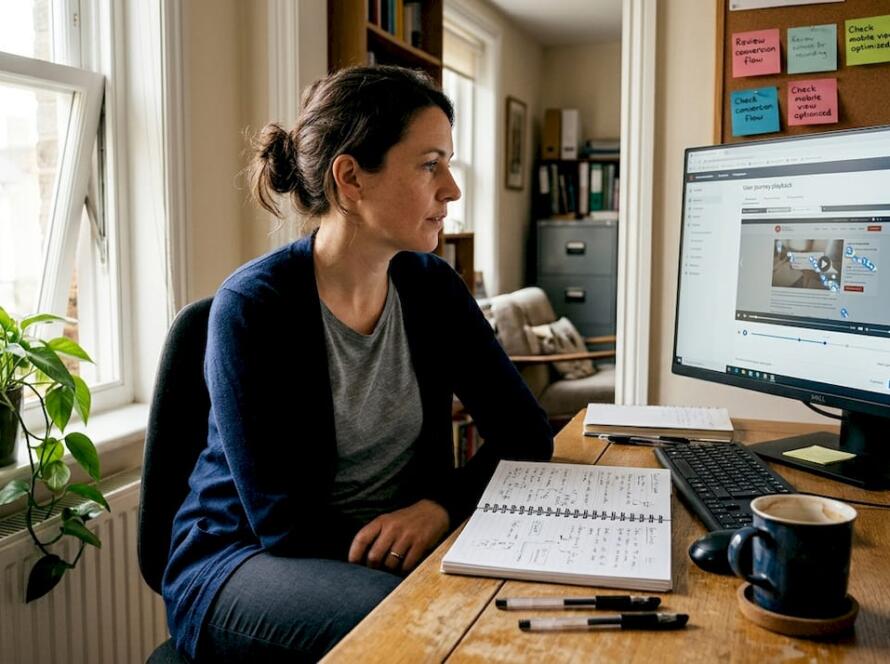
Your website has roughly 50 milliseconds to convince a visitor that your brand is worth their time. That is not a figure to brush aside. Before a single word is read, before a product is browsed, before a price is checked, the visual design of your site has already shaped how trustworthy your business appears. For marketing directors and business owners in e-commerce and service industries, this reality is both a challenge and an opportunity. Get the design right, and you build the kind of trust that converts browsers into buyers and buyers into loyal advocates. This guide breaks down exactly how to do that.
Table of Contents
- Why trust matters for online brands
- The psychology of design: How users form trust impressions
- Core design elements that foster trust
- Trust-killing design mistakes to avoid
- Putting trust-centred design into action: Practical steps
- Examples of brands winning trust through web design
- Work with experts to build trust through design
- Frequently asked questions
Key Takeaways
| Point | Details |
|---|---|
| First impressions count | Users form trust or distrust in seconds based purely on web design. |
| Design for credibility | Professional visuals, security badges, and easy contact help build trust. |
| Avoid trust killers | Fix outdated styles, slow load times, and confusing layouts to protect brand reputation. |
| Audit and test | Regular assessments and user feedback keep your website trustworthy and effective. |
Why trust matters for online brands
Trust is not a soft, feel-good metric. It is the engine behind every purchase decision, every form submission, and every referral your business receives. Online purchase decisions are driven primarily by trust, and without it, even the best product or service will struggle to convert.
Think about your own behaviour online. When you land on a website that looks outdated, loads slowly, or feels cluttered, you leave. You do not stop to investigate further. You simply go elsewhere. Your customers do exactly the same thing.
Here is what poor trust costs you in practice:
- Higher bounce rates as visitors leave before engaging
- Lower conversion rates across product and enquiry pages
- Reduced repeat business and weaker customer loyalty
- Damage to your brand reputation that compounds over time
“A website that fails to signal credibility within the first few seconds is effectively invisible to the modern consumer.”
The good news is that transforming your online presence does not require a complete overhaul every time. Strategic, targeted improvements to your design can shift trust signals dramatically and quickly.
The psychology of design: How users form trust impressions
Here is the part that surprises most business owners. Users do not consciously evaluate your website. They feel it. Visual appeal and credibility are closely linked in the early stages of web interaction, and that judgement happens in as little as 50 milliseconds. That is faster than a blink.
What triggers a positive trust impression? Rounded buttons feel approachable. Harmonious colour palettes signal professionalism. Consistent layouts reduce cognitive load, which makes visitors feel comfortable rather than confused. White space is not wasted space; it is breathing room that communicates confidence.
| Design element | Trust signal | Trust risk |
|---|---|---|
| Colour palette | Harmonious, brand-consistent | Clashing or inconsistent colours |
| Typography | Clean, readable, consistent | Multiple fonts, poor sizing |
| Layout | Structured, logical flow | Cluttered, overwhelming pages |
| Imagery | High quality, relevant | Stock photos, pixelated images |
| Navigation | Intuitive, clearly labelled | Confusing menus, dead ends |
Pro Tip: Run your homepage past someone unfamiliar with your brand. Ask them what they think your business does and whether they would trust it, based purely on first glance. Their answer will tell you more than any analytics report.
Poor design does the opposite of all this. Mismatched fonts, aggressive pop-ups, and low-quality images all trigger the same subconscious alarm: something is off here. Visitors associate bad design with scams, incompetence, or neglect. Investing in effective web design features is not vanity; it is commercial strategy. And if you want to understand where your current site stands, website performance audits are an excellent starting point.
Core design elements that foster trust
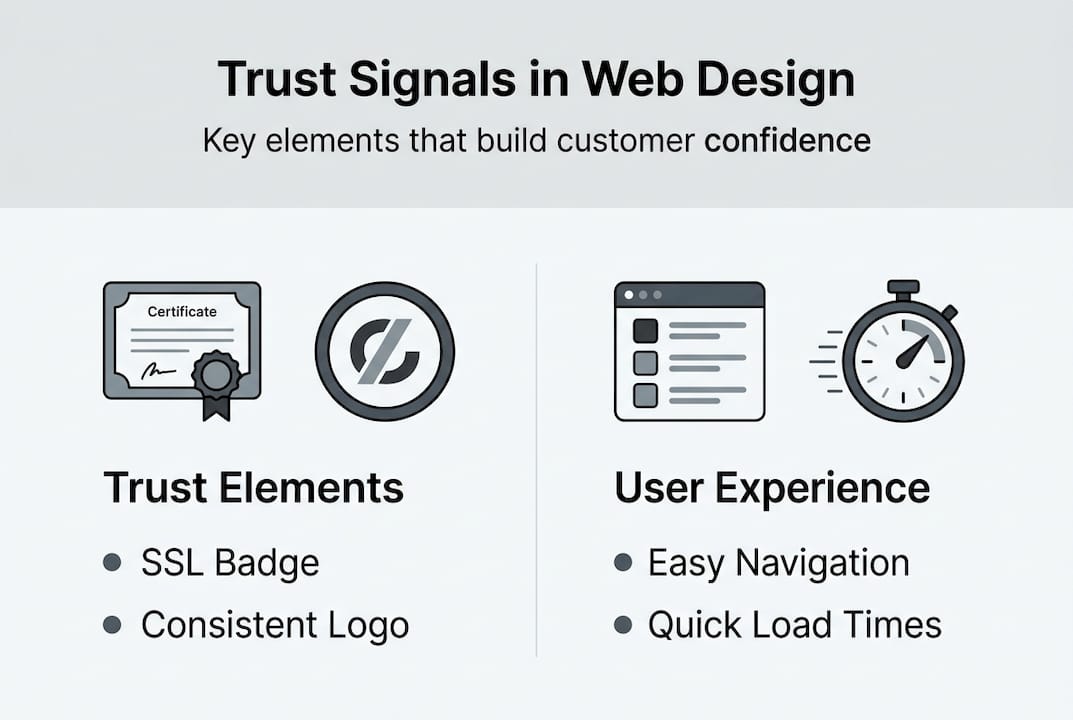
Understanding the psychology is one thing. Knowing which specific elements to prioritise is another. Professional design features such as security badges and transparent contact information measurably increase trust, and the evidence is consistent across industries.
Here are the elements that carry the most weight:
- SSL certificate and security badges: Visible padlock icons and trust seals reassure visitors that their data is safe. Place these prominently on checkout and contact pages.
- Consistent branding: Your logo, colour palette, and typography should be identical across every page. Inconsistency reads as unprofessionalism.
- Customer reviews and testimonials: Real words from real customers are among the most powerful trust signals available. Display them prominently, not buried at the bottom.
- Team photos and about pages: Faces build connection. Showing the people behind your brand makes it feel human and accountable.
- Clear contact information: A phone number, email address, and physical location (where relevant) signal that you are a real, reachable business.
| Trust element | Impact level | Placement recommendation |
|---|---|---|
| SSL badge | High | Header, checkout, contact page |
| Customer reviews | Very high | Homepage, product pages |
| Team photos | Medium | About page, homepage |
| Contact details | High | Header, footer, contact page |
| Clear navigation | Very high | Site-wide |
Pro Tip: The design choices that boost conversions are often the same ones that build trust. Aligning your content and design so that messaging and visuals reinforce each other is one of the highest-leverage moves you can make.
Trust-killing design mistakes to avoid
Building trust is only half the battle. Protecting it is the other half. Outdated visuals, broken links, and intrusive pop-ups are among the primary reasons visitors distrust websites, and many businesses are making these mistakes without realising it.
Here are the five most damaging design errors:
- Slow loading speeds. If your site takes more than three seconds to load, a significant portion of visitors will leave before seeing anything. Speed is a trust signal in itself.
- Non-responsive design. A website that breaks on mobile tells visitors your business is behind the times. More than half of web traffic now comes from mobile devices.
- Visual clutter. Too many elements competing for attention creates anxiety, not engagement. Simplify ruthlessly.
- Unclear navigation. If visitors cannot find what they need within seconds, they assume you cannot help them. Logical, labelled menus are non-negotiable.
- Aggressive or irrelevant pop-ups. A pop-up that appears the moment someone lands on your site is the digital equivalent of a hard sell at the front door. It destroys goodwill instantly.
“Every second of delay in page load time reduces conversions. Every unnecessary pop-up erodes the goodwill you worked hard to build.”
Reviewing your site against SEO and usability best practices will help you identify which of these issues are currently costing you trust and revenue.
Putting trust-centred design into action: Practical steps
Knowing what to fix is useful. Having a clear process to fix it is what actually moves the needle. Regular audits and user feedback are the most reliable way to maintain a trustworthy website over time.
Here is a practical sequence to follow:
- Audit your current site. Review every page for the trust elements and mistakes outlined above. Note what is missing and what is actively harmful.
- Prioritise quick wins. Fix broken links, add your SSL badge, and update any outdated imagery first. These changes are fast and have immediate impact.
- Improve your homepage. This is your highest-traffic page and your first impression. Use homepage testing techniques to identify what is working and what is not.
- Gather user feedback. Ask real customers or colleagues to navigate your site and share their honest impressions. You will uncover issues that internal teams overlook.
- Schedule regular maintenance. Trust is not a one-time achievement. Set a quarterly review to check for outdated content, broken elements, and new opportunities.
For businesses that want to accelerate this process, digital agency support can compress months of trial and error into a focused, results-driven project.
Pro Tip: Do not try to fix everything at once. Prioritise the changes that affect your highest-traffic pages first. A better homepage will deliver more trust gains than a perfect but rarely visited blog post.
Examples of brands winning trust through web design
Theory is useful. Results are better. Design improvements consistently produce measurable uplifts in conversion rates when trust-oriented changes are made deliberately and strategically.
Here are the patterns we see repeatedly across high-performing brands:
- An e-commerce brand adds prominent customer review widgets to product pages and sees a notable increase in add-to-cart rates within weeks.
- A service business replaces generic stock photography with real team photos and authentic client testimonials, resulting in a measurable drop in bounce rate.
- A luxury retreat updates its colour palette and typography to align with its premium positioning, and enquiry rates climb because the site now matches the quality of the experience it sells.
- A B2B service provider adds a visible SSL badge and a detailed contact page, and lead form completions increase because visitors feel confident their data is secure.
“The businesses that win online are not always those with the biggest budgets. They are the ones whose websites make visitors feel safe, understood, and confident enough to act.”
The lesson across all of these examples is consistent: trust-first design is not about aesthetics for its own sake. It is about removing the friction and doubt that stops people from taking action. If you want to explore how service support design can complement your trust strategy, the resources are there.
Work with experts to build trust through design
If this guide has made one thing clear, it is that trust-centred web design is not accidental. It is engineered. Every colour choice, every layout decision, every piece of social proof on your site either builds confidence or erodes it.
At NU Life Digital, we specialise in building websites that do not just look credible but are structured to convert. Our Nu Life Digital web design service combines strategic design thinking with conversion science, so every element of your site is working to build trust and drive revenue. Whether you are starting from scratch or refining an existing site, our team can identify the gaps and close them. Explore our conversion optimisation tips or see the digital agency results we have delivered for ambitious brands ready to grow.
Frequently asked questions
How quickly does web design impact brand trust?
Users form trust impressions within 50 milliseconds of landing on a website, meaning your design is making an impression before a single word is read.
What is the most important trust-building feature for a website?
A consistent, professional visual style combined with visible security measures such as SSL certificates is the most effective combination for building immediate trust.
How do I know if my website is harming trust?
Slow loading speeds, outdated visuals, and confusing navigation are the clearest warning signs; website quality analysis and regular user feedback will surface the specific issues affecting your site.
Can small design tweaks really improve trust and conversions?
Yes. Even minor updates to visual hierarchy or navigation boost conversion and trust significantly, particularly on high-traffic pages where small percentage gains translate into meaningful revenue increases.